
Optical Time-Domain Reflectometers (OTDRs) are the gold standard for fiber optic network testing, troubleshooting, and certification. Whether you deploy FTTx last-mile networks, maintain long-haul backbone links, or commission PON and metro fiber infrastructure, selecting the right OTDR directly impacts test accuracy, field efficiency, and long-term network reliability.
This optimized guide covers everything fiber technicians and network contractors need: core OTDR principles, critical specification breakdowns, trace interpretation, real-world application mapping, and three expert-selected handheld OTDRs: EXFO MAX-715D, JILONG KL-6300, and Komshine QX45.
Table of Contents
1. What Is an OTDR?
2. How Does an OTDR Work?
3. Key OTDR Specifications Explained
4. How to Read an OTDR Trace
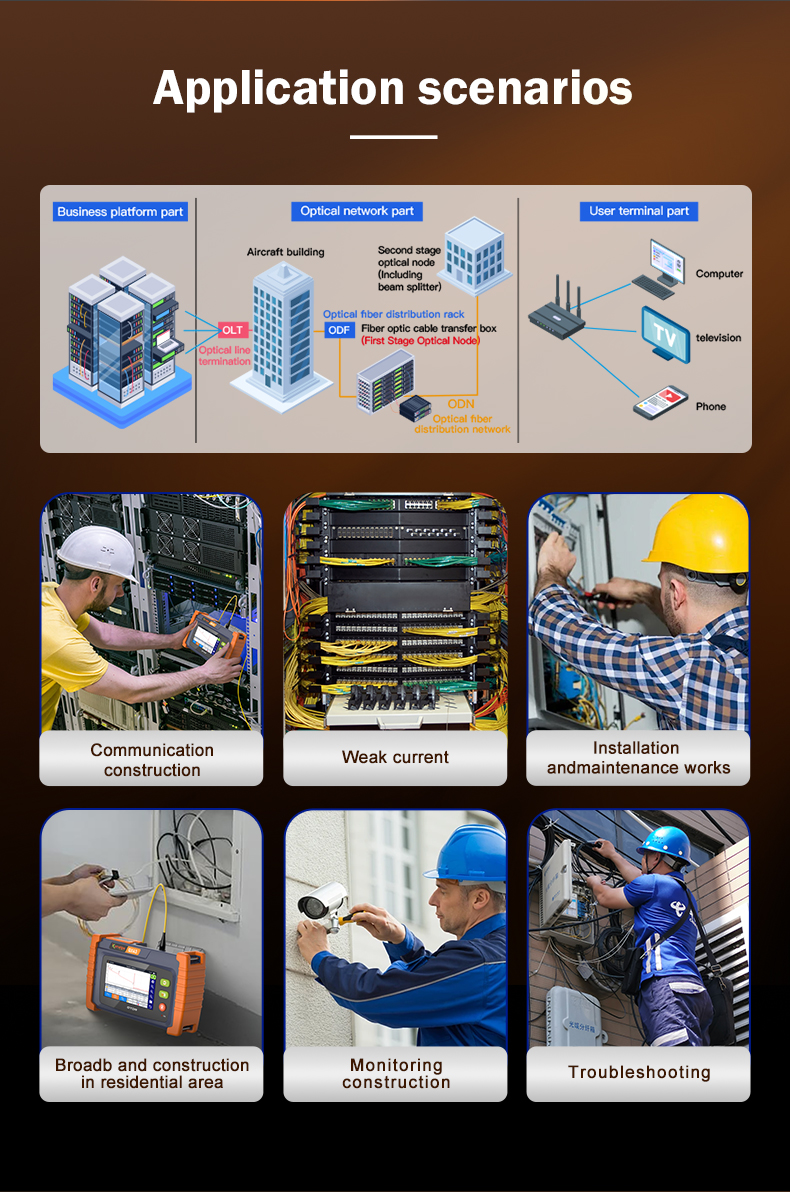
5. OTDR Applications by Network Type
6. Top OTDR Models: Expert Picks for 2026
7. Side-by-Side Comparison Table
8. OTDR Buying Decision Guide
9. Common OTDR Testing Mistakes to Avoid
10. Frequently Asked Questions
1. What Is an OTDR?
An OTDR (Optical Time-Domain Reflectometer) is a portable optoelectronic test instrument that characterizes a fiber link from a single access point. It sends laser pulses into the fiber and captures backscattered Rayleigh light and Fresnel reflections from splices, connectors, bends, breaks, and terminations. The resulting trace plots optical power (dB) against distance (km or m), delivering a full visual map of fiber health.
Technicians use OTDRs to:
· Measure total fiber length and end-to-end attenuation
· Locate, quantify and document splices, connectors, and macrobends
· Pinpoint fiber breaks and hidden anomalies
· Certify fiber links against ITU-T, TIA/EIA and IEC standards
· Complete acceptance testing for newly installed fiber cables
· Troubleshoot degraded or faulty live and dark fiber links
OTDRs are essential tools for telecom operators, fiber contractors, ISP maintenance teams, and network engineers working with single-mode (SM) and multimode (MM) fiber. They are often paired with optical power meters, visual fault locators, and fusion splicers for a full fiber test toolkit.
2. How Does an OTDR Work?
The OTDR principle is similar to radar. The unit emits short, high-power laser pulses into the fiber. As light travels, a small portion continuously scatters back toward the tester via Rayleigh backscattering. At discrete events such as connectors, splices and fiber breaks, stronger light returns as Fresnel reflections.
Since light travels in glass fiber at roughly 2×10⁸ m/s, the distance to an event is calculated:
Distance = (Speed of Light in Fiber × Round-Trip Time) / 2
Modern OTDRs use digital signal processing (DSP) and signal averaging to boost signal-to-noise ratio and extend dynamic range, enabling detection of weak backscatter signals over long fiber spans.
Core hardware components:
· Laser source: test pulse generator (1310/1550/1625 nm for SM; 850/1300 nm for MM)
· Directional optical coupler: separates outgoing laser pulses from returning backscatter signals
· Avalanche photodetector (APD): converts returning optical signals into electrical signals
· Precision timing circuit: measures round-trip travel time with nanosecond accuracy
· DSP & averaging engine: improves SNR via coherent trace averaging
· Analysis software and display: renders traces and auto-calculates event loss and distance data
3. Key OTDR Specifications Explained
Dynamic Range (dB)
The difference between the initial backscatter level and the instrument’s noise floor. It defines the maximum total fiber loss the OTDR can resolve, which translates to the maximum testable fiber length. Typical ranges: 28–34 dB for FTTx access, 34–38 dB for metro, and 40–45+ dB for long-haul backbone.
Dead Zones
· Event Dead Zone (EDZ): Minimum distance after a reflective event before the next connector or event can be detected. Critical for MDU, FTTx and patch-panel-heavy environments where connectors are tightly spaced.
· Attenuation Dead Zone (ADZ): Minimum distance required after a reflective event to accurately measure loss.
Distance Range & Accuracy
Maximum measurable fiber length, paired with distance precision (±1 m or ±0.01%). This is vital for locating buried cable faults on long-haul routes.
Sampling Resolution & Data Points
Minimum spacing between trace data points. Higher data point counts deliver finer detail for dense links and short jumper testing.
Pulse Width
Controls the classic trade-off between dead zone and dynamic range. Short pulses (3–10 ns) produce smaller dead zones for dense connectors, but reduce dynamic range. Long pulses (1–20 µs) extend test distance, at the cost of larger dead zones.
Supported Wavelengths
· 1310 nm: Standard single-mode wavelength, highly sensitive to macrobending loss, widely used for access and metro networks
· 1550 nm: Lower intrinsic attenuation for long-haul SM testing, less bend-sensitive
· 1625 / 1650 nm: Out-of-band live-fiber testing, no disruption to active C-band traffic
· 850 / 1300 nm: Multimode wavelengths for OM1–OM5 fiber in data centers
· PON dedicated wavelengths: Built-in filter design for testing through optical splitters
Auto-Analysis Technology
· iOLM (EXFO): EXFO proprietary intelligent link mapping engine that auto-identifies all link components and outputs color-coded pass/fail results, drastically cutting test time for high-volume FTTx rollouts. Important commercial note: iOLM is a paid software license option, which typically adds roughly $2,000–$3,000 USD to the instrument cost; it is not included with the base MAX-715D unit. It delivers mature cloud sync and operator-approved reporting workflows for large telecom projects.
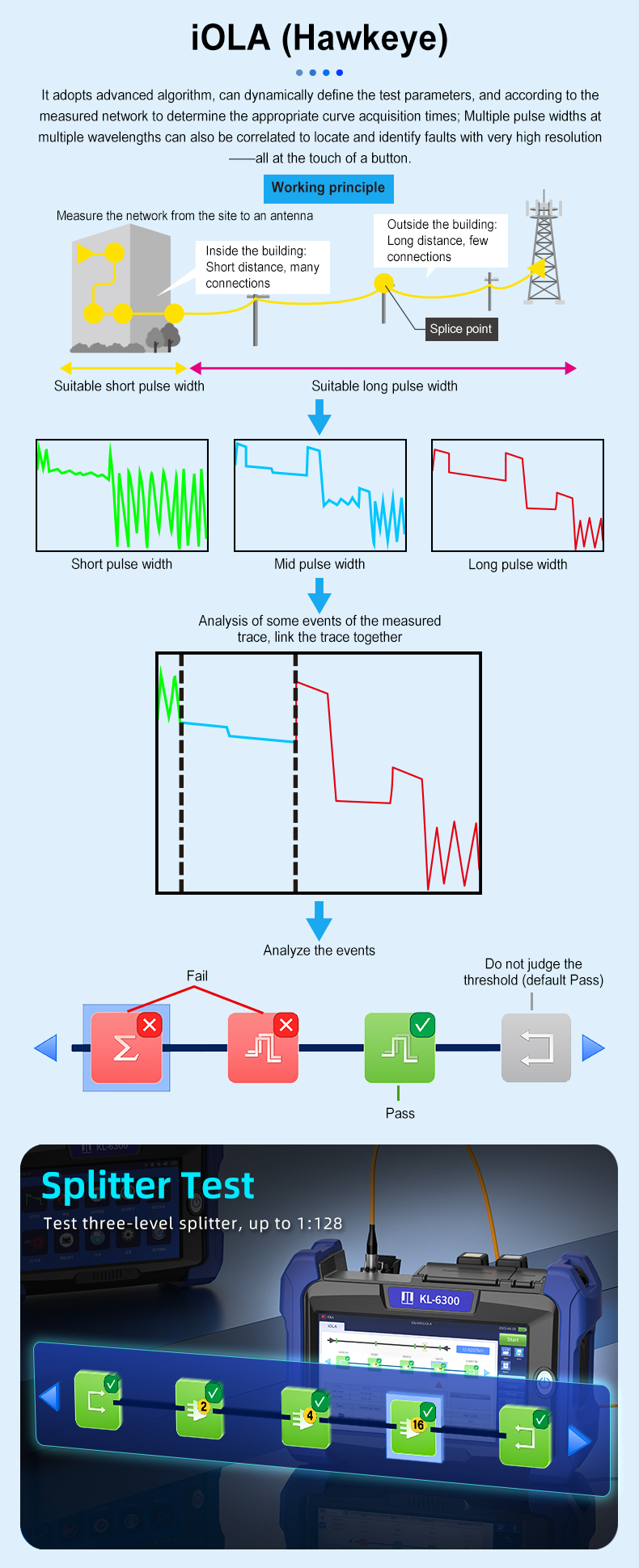
· iOLA (JILONG): JILONG’s one-click intelligent PON test engine, automatically analyzes split PON links and generates visual link diagrams with built-in pass/fail judgment. iOLA is permanently included free of charge with every KL-6300 unit, no extra license fee or activation cost required. It eliminates recurring software upgrade expenses and brings automated PON analysis to contractors and ISPs with a much lower total cost of ownership.
4. How to Read an OTDR Trace
The trace places optical power (dB) on the Y-axis and distance (m/km) on the X-axis.
· Backscatter Slope: A healthy fiber segment shows a smooth downward slope. The slope equals fiber attenuation coefficient (G.652D SM fiber ~0.35 dB/km at 1310 nm, ~0.20 dB/km at 1550 nm). A steep, irregular slope indicates a lossy section.
· Reflective Events (Sharp Peaks): Fresnel reflections from connectors, mechanical splices or fiber end faces. UPC connectors typically show -35 to -55 dB reflectance; APC connectors should hit -60 dB or better.
· Non-Reflective Events (Down Steps): Fusion splices or tight macrobends with no reflection spike. Premium fusion splices register <0.05 dB loss; field splices above 0.3 dB require inspection.
· Gainer Artifacts: An apparent upward step at a splice, caused by mismatched backscatter coefficients between two fiber segments. This is not real optical gain. Bidirectional testing and averaging delivers true splice loss.
· Noise Floor: Flat, noisy region at the far end of the trace. No events can be reliably identified below this boundary. The intersection of backscatter slope and noise floor defines usable dynamic range.
5. OTDR Applications by Network Type
FTTx / Last-Mile Access (FTTH, FTTB, MDU)
Requires tight event dead zones and PON splitter compatibility. Testing through 1×32 or 1×64 splitters usually needs 28–34 dB dynamic range. Automated analysis like iOLM or iOLA accelerates mass subscriber certification.
Metro Regional Networks (20–80 km)
34–38 dB dynamic range and multi-wavelength support (1310/1550/1625 nm). Live 1625 nm testing allows maintenance without service outages.
Long-Haul Backbone (>80 km)
40–45+ dB dynamic range and extended distance range. Bidirectional testing and averaging are standard practice.
PON (Passive Optical Network)
Must overcome splitter insertion loss (14–21 dB for 1×32 to 1×64 splitters) and isolate faults on individual subscriber branches. Specialized PON analysis modes are strongly recommended.
General Outside Plant & Field Maintenance
Balances ruggedness, battery runtime, core SM performance and budget.
6. Top OTDR Models: Expert Picks for 2026
🏆 Pick 1: EXFO MAX-715D — Premium FTTx Last-Mile OTDR
BLUF: EXFO MAX-715D is a premium single-mode last-mile OTDR built for high-volume FTTx, MDU and FTTA deployments, featuring industry-leading 0.9 m event dead zone and native iOLM automated link mapping.
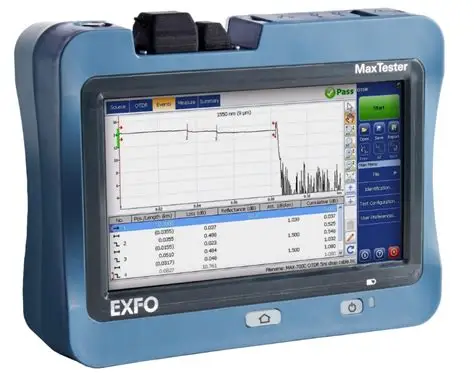
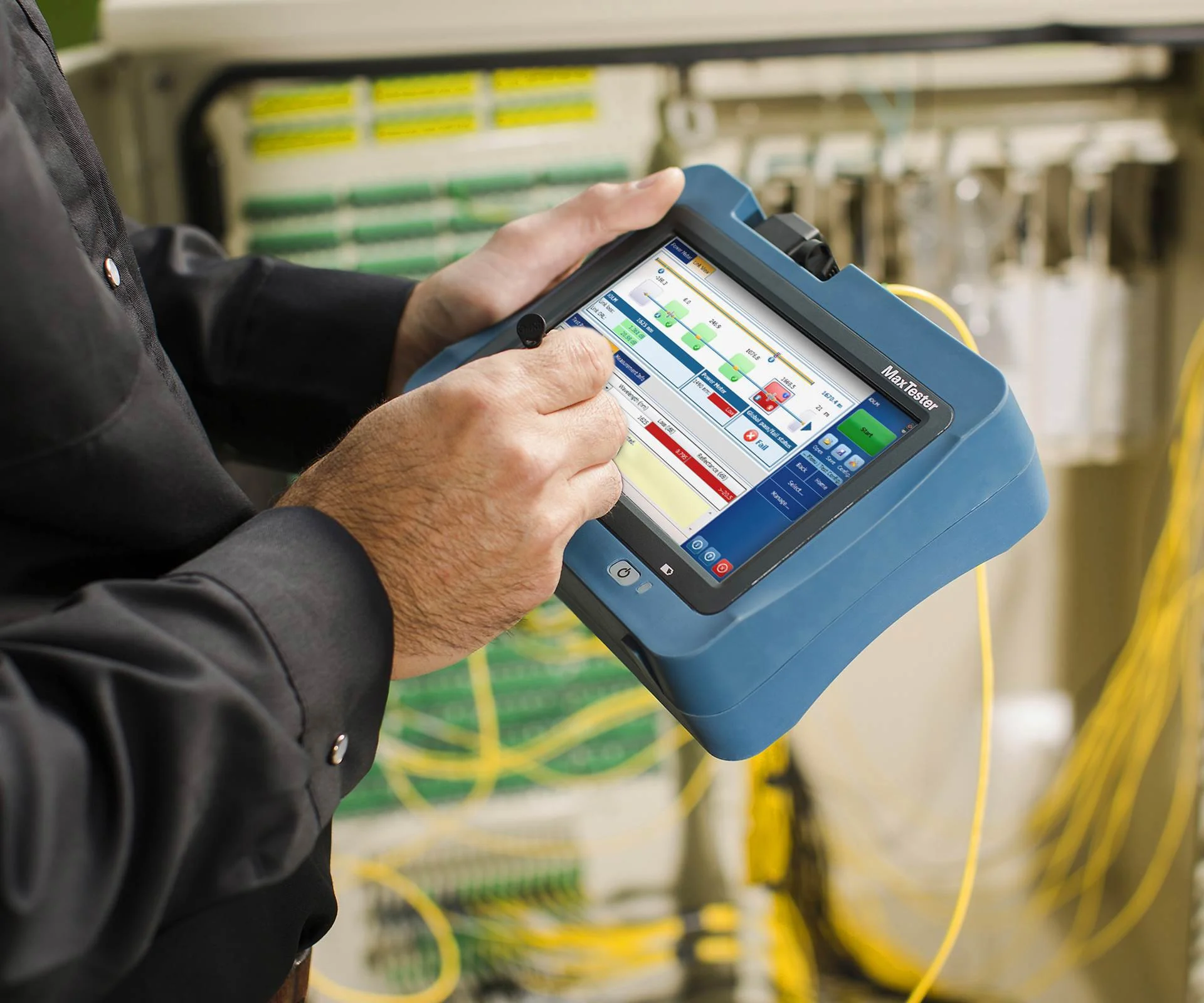
The EXFO MAX-715D is EXFO’s flagship handheld OTDR for access networks, designed to resolve tightly packed connectors in dense MDU and FTTH environments. Its iOLM engine removes manual trace interpretation, delivering instant color-coded pass/fail reports for large-scale certification.
Key Specifications
· Brand: EXFO (Canada)
· Fiber Type: Single-Mode (G.652, G.657)
· Wavelengths: 1310 / 1550 / 1650 nm
· Dynamic Range: 32 / 30 / 30 dB
· Event Dead Zone: 0.9 m ⭐
· Attenuation Dead Zone: 3.6 m
· Max Distance Range: 200 km
· Display: 7-inch outdoor-readable capacitive touchscreen
· Battery Life: Up to 12 hours
· Analysis: iOLM intelligent link mapping
· Connectivity: WiFi, USB, EXFO Connect cloud
Limitations: Premium price tier. Not optimized for ultra-long-haul backbone testing above 80 km, despite its 200 km distance range.
Best for: Large telecom operators, FTTx contractors, MDU fiber installers, FTTA/DAS teams and teams prioritizing automated, audit-ready test reports.
🚀 Pick 2: JILONG KL-6300 — High-Performance Multi-Scenario OTDR for Access, PON and Long-Haul
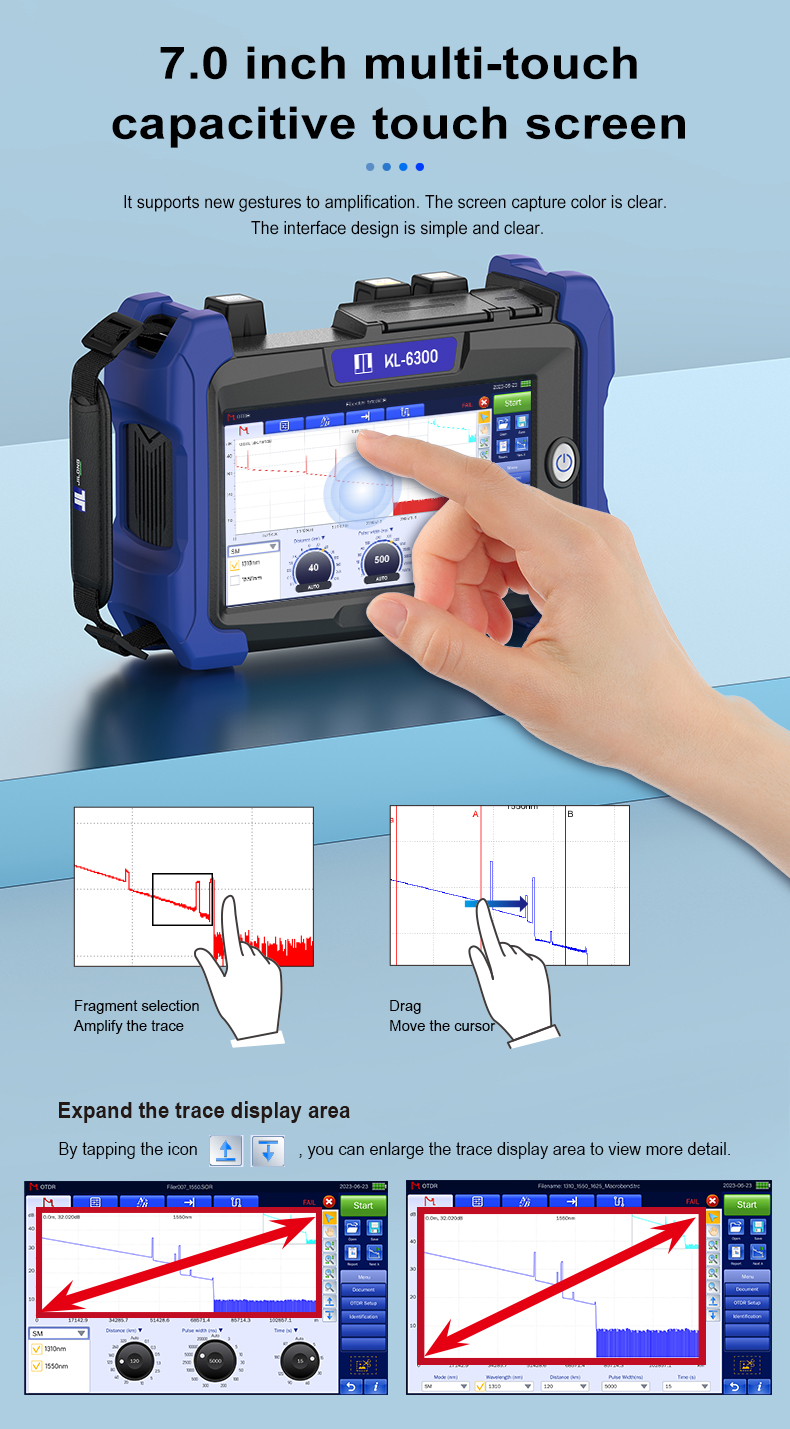
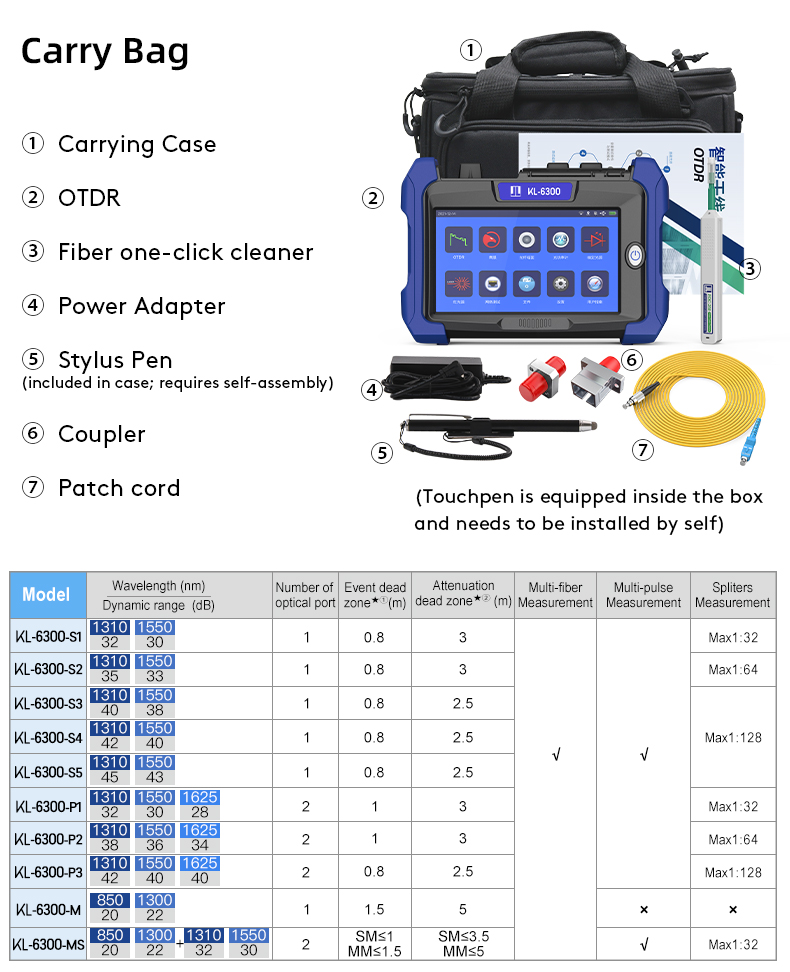
BLUF: JILONG KL-6300 is a versatile modular OTDR series with up to 45 dB dynamic range, 0.8 m event dead zone and iOLA one-click PON testing, supporting SM, MM and mixed fiber projects from access to backbone.
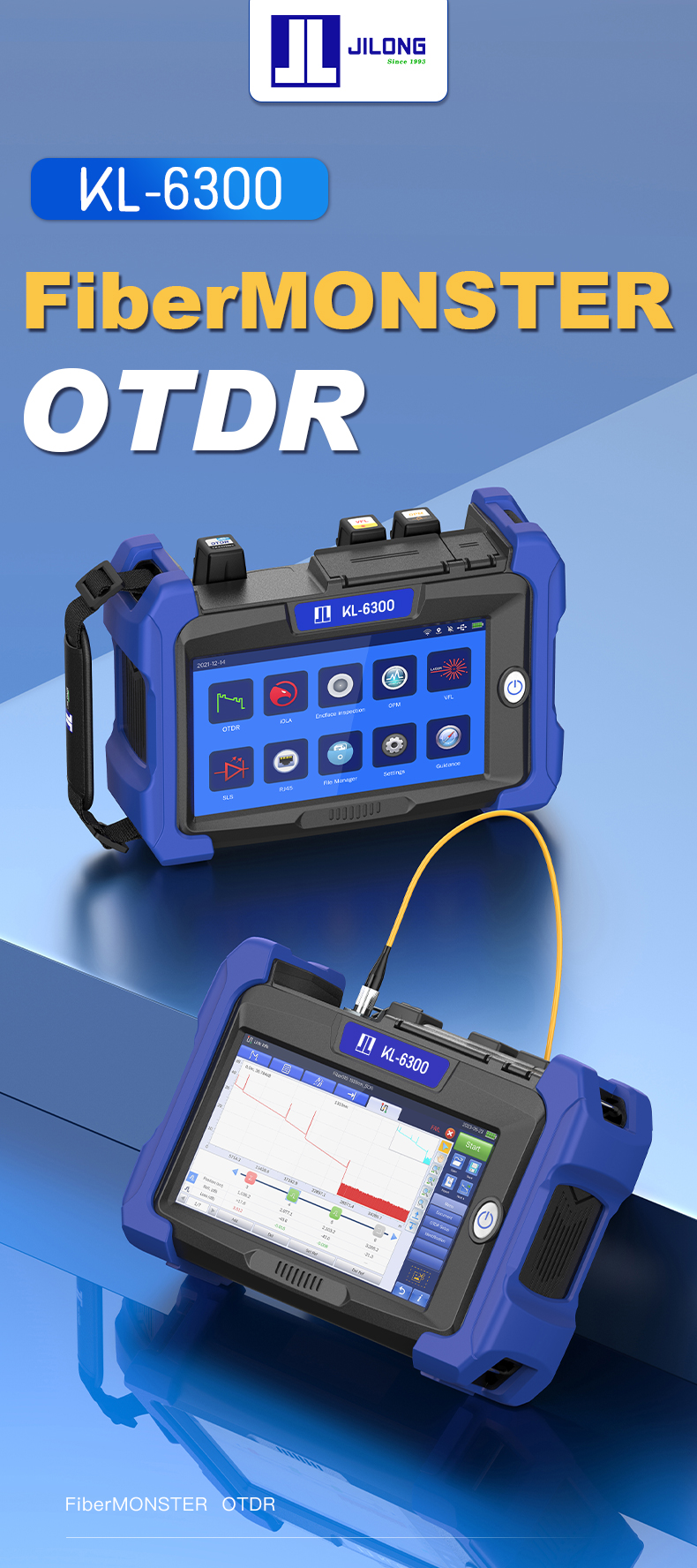
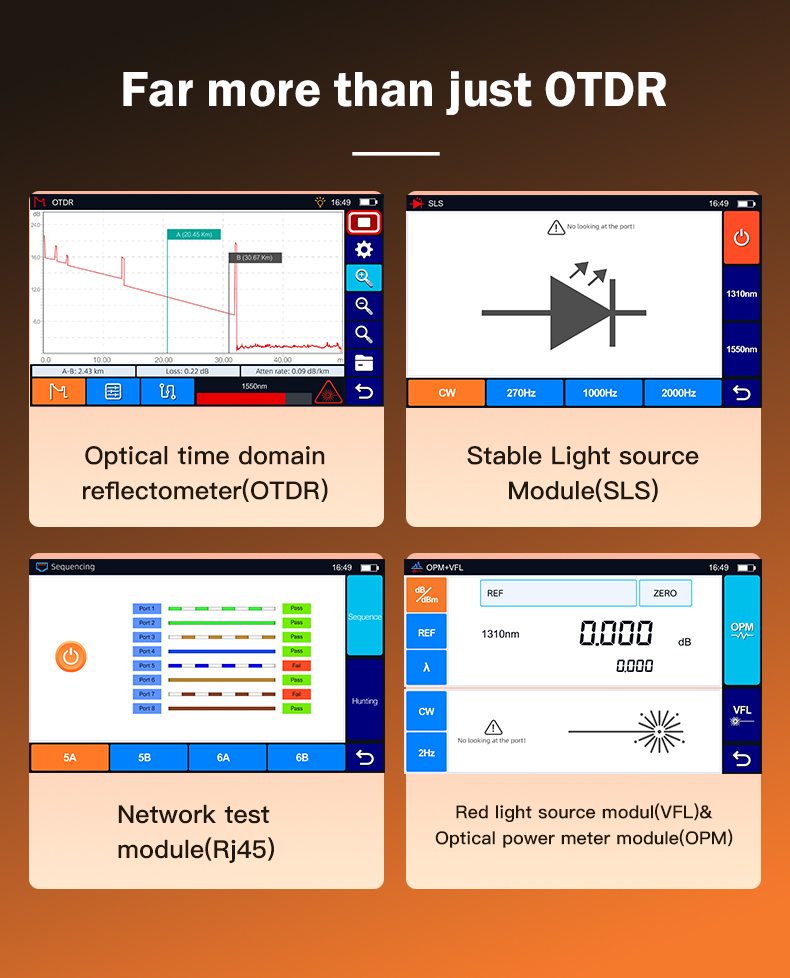
Built by JILONG, a well-established Chinese fiber test and fusion splicer manufacturer, the KL-6300 Fiber Monster OTDR is a flexible workhorse platform. Its modular design covers short MDU links, PON splitter testing, metro and long-haul single-mode routes, and multimode data center fiber. It integrates extra field modules including VFL, OPM, FIP fiber inspection and GPS.
Key Specifications
· Brand: JILONG (China)
· Fiber Type: Single-Mode / Multimode / Mixed SM+MM (modular variants)
· Wavelengths: 1310/1550 nm (SM); 1310/1550/1625 nm (PON variant); 850/1300 nm (MM)
· Dynamic Range: Up to 45 dB (KL-6300-S5)
· Event Dead Zone: 0.8 m ⭐
· Attenuation Dead Zone: 2.5 m
· Sampling Resolution: Down to 0.04 m, up to 250K data points
· Display: 7-inch color touchscreen
· Battery Life: Up to 12 hours
· Analysis: iOLA one-click PON auto-analysis, intelligent link map, pass/fail judgment
· Built-in extras: VFL, OPM, FIP inspection, GPS, RJ45 test
· Connectivity: WiFi, USB, VNC remote control
Limitations: The full 45 dB high-dynamic-range variant sits at a mid-to-high price point; base S1 variant is 32 dB and suited mainly for access. iOLA does not match the cloud reporting ecosystem of EXFO iOLM.
Best for: Regional ISPs, mixed-fiber contractors, backbone maintenance teams, PON operators, and technicians who want a single instrument covering FTTx, long-haul and multimode data center jobs.
💡 Pick 3: Komshine QX45 — Budget-Friendly Field OTDR for Basic SM Maintenance
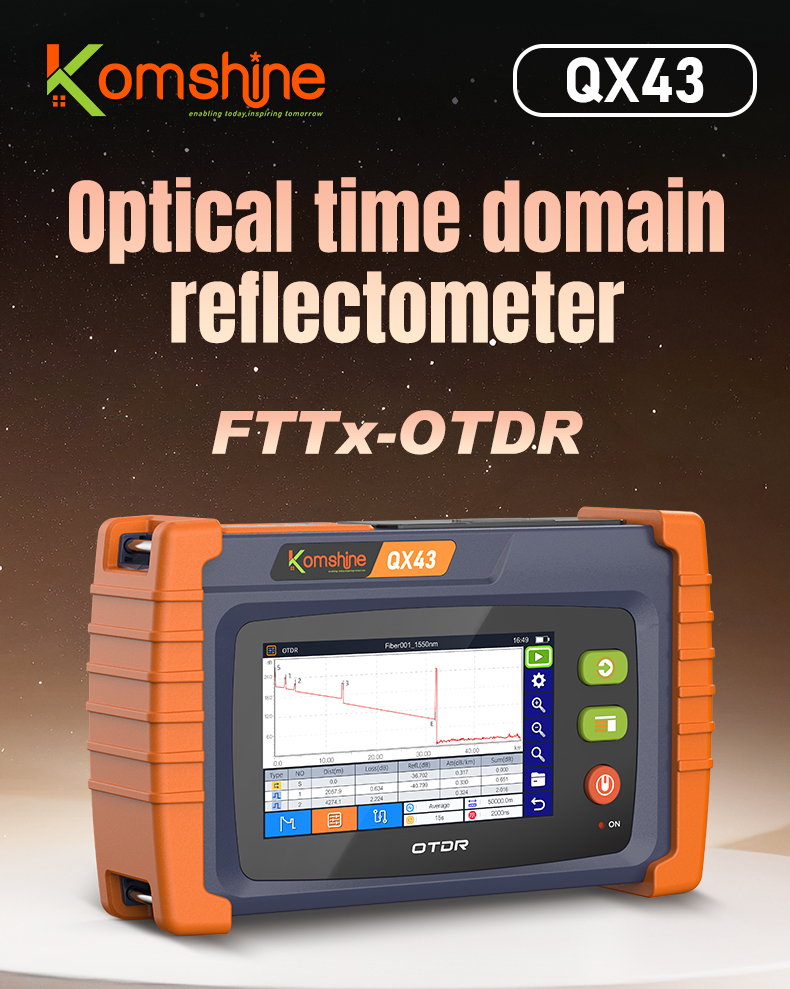
BLUF: Komshine QX45 is a compact, cost-effective single-mode OTDR for routine outside plant and FTTx maintenance, with 32 dB dynamic range, built-in VFL and simple auto trace analysis.
The Komshine QX45 targets independent contractors and small field teams needing reliable basic single-mode testing without premium pricing. It is lightweight, easy to operate, and stores thousands of traces for post-processing with PC trace manager software.
Key Specifications
· Brand: Komshine (China)
· Fiber Type: Single-Mode (G.652, G.657)
· Wavelengths: 1310 / 1550 nm
· Dynamic Range: Up to 32 dB
· Event Dead Zone: 1.6 m
· Attenuation Dead Zone: 10 m
· Max Distance Range: 130 km
· Display: 3.5-inch touchscreen
· Battery / Standby: Long standby time, integrated 10 km VFL
· Analysis: Basic auto trace analysis, event table output
· Connectivity: USB, SD card, compatible with PC trace manager software
· Storage: Supports 10,000+ traces
Limitations: Larger dead zones compared to MAX-715D and KL-6300, no dedicated 1625 nm live-fiber option, no advanced PON auto-analysis engine. Not ideal for dense MDU links with tightly stacked connectors.
Best for: Independent fiber contractors, small local ISPs, routine OSP troubleshooting, backup test units, and teams with tight budget requirements.
7. Side-by-Side Comparison Table
|
Specification |
EXFO MAX-715D |
JILONG KL-6300 |
Komshine QX45 |
|
Brand |
EXFO |
JILONG |
Komshine |
|
Fiber Type |
Single-Mode |
SM / MM / Mixed (modular) |
Single-Mode |
|
Wavelengths |
1310/1550/1650 nm |
1310/1550 / 1625 PON / 850/1300 MM |
1310/1550 nm |
|
Max Dynamic Range |
32 dB |
45 dB (top variant) |
32 dB |
|
Event Dead Zone |
0.9 m |
0.8 m |
1.6 m |
|
Attenuation Dead Zone |
3.6 m |
2.5 m |
10 m |
|
Max Distance |
200 km |
Up to 240 km |
130 km |
|
Auto Analysis |
iOLM |
iOLA intelligent PON + link map |
Basic auto trace analysis |
|
Display |
7" Outdoor Touch |
7" Color Touch |
3.5" Compact Touch |
|
Built-in extras |
Swap-out connector |
VFL, OPM, FIP, GPS, RJ45 |
VFL |
|
Best Application |
Premium FTTx / MDU / FTTA |
All-in-one: Access, PON, Backbone, MM |
Budget OSP & basic SM maintenance |
|
Price Tier |
Premium |
Mid-to-High |
Value / Budget |
8. OTDR Buying Decision Guide
Step 1 — Confirm your fiber types
· Dense FTTx MDU, high-volume certification → EXFO MAX-715D
· Mixed workload: PON, long-haul, multimode data center → JILONG KL-6300
· Simple single-mode OSP repair, limited budget → Komshine QX45
Step 2 — Match required dynamic range
· FTTx / short access (<20 km): 28–32 dB
· Metro (20–80 km): 34–38 dB
· Long-haul backbone (>80 km): 40–45 dB (choose KL-6300 high-dynamic variant)
Step 3 — Assess dead zone needs
· Closely spaced connectors in MDU: EDZ <1 m → MAX-715D or KL-6300
· Standard OSP splices and spans: EDZ >1.5 m acceptable → Komshine QX45
Step 4 — Decide automation requirements
· Mass FTTx acceptance, audit-ready cloud reports: iOLM (MAX-715D)
· Heavy PON testing, on-site link mapping: iOLA (KL-6300)
· Occasional troubleshooting, manual trace review: Komshine QX45
Step 5 — Balance budget and long-term needs If you run mixed jobs, the KL-6300 modular platform delivers the highest long-term versatility. If you only focus on FTTH certification, MAX-715D is purpose-built. If you mainly perform reactive field repairs, QX45 offers excellent value.
9. Common OTDR Testing Mistakes to Avoid
· Skipping launch cables: The first connector will fall inside the dead zone and produce incorrect loss readings. Always use a 50–500 m launch cord for certification.
· Using a single-direction trace for splice loss: Backscatter gain artifacts can distort results; bidirectional averaging is required for accurate splice loss.
· Mismatched wavelength selection: Using 1310 nm for bend-sensitive troubleshooting or 1550 nm for live out-of-band testing.
· Overlooking dead zone trade-offs: Long pulse width extends range but hides nearby connectors in MDU environments.
· Ignoring calibration cycles: Annual calibration is required for acceptance testing and compliance with TIA/ITU standards.
10. Frequently Asked Questions
What is the difference between an OTDR and an optical power meter?
An optical power meter only measures total end-to-end loss. An OTDR maps the full fiber route, pinpointing the location and magnitude of every loss event. Both are used together for complete fiber certification and troubleshooting.
Do I need a launch cable for these OTDRs?
Yes. A launch cable moves the first connector outside the instrument dead zone, enabling accurate loss measurement at the test start. This applies to MAX-715D, KL-6300 and QX45 alike.
What is the difference between EXFO iOLM and JILONG iOLA?
iOLM is EXFO’s mature automated FTTx engine with cloud reporting, widely accepted by major telecom operators. iOLA is JILONG’s one-click PON analysis, optimized for split PON link mapping and local pass/fail judgment.
Can these OTDRs test live fiber without service interruption?
MAX-715D supports 1650 nm out-of-band testing. KL-6300 PON variant supports 1625 nm live fiber testing. Komshine QX45 has no dedicated out-of-band live wavelength option.
What file format do these OTDRs export?
All three support industry-standard SOR (Telcordia SR-4731) trace files and PDF reports, compatible with mainstream trace analysis software. Komshine QX45 traces can be imported into its PC trace manager software.
How often should I calibrate my OTDR?
Annual calibration is recommended to guarantee distance accuracy, dynamic range and loss measurement precision before acceptance testing.
What accessories should I buy with these OTDRs?
Launch cables, UPC/APC adapter tips, fiber inspection probes, cleaning kits, and rugged carrying cases. For KL-6300, optional FIP tips and multimode launch cords are useful for data center work.
https://www.jilongot.com
南京吉隆光纤通信股份有限公司
About Author

You may also like
-
Choosing A VR Optical Module In 2026: Pancake Or Refractive
-
48V Rack Battery With BMS Protection: Custom Engineering
-
MYLION Mini UPS for CPE: Reliable 12V Backup Power Solutions
-
How a Strong Mobile Accessories Partnership Can Support Global Distribution Growth
-
All-in-One Karaoke Systems: Qinsheng Feiyang Overview